
This post contains affiliate links. If you buy through them, I may earn a small commission at no extra cost to you.
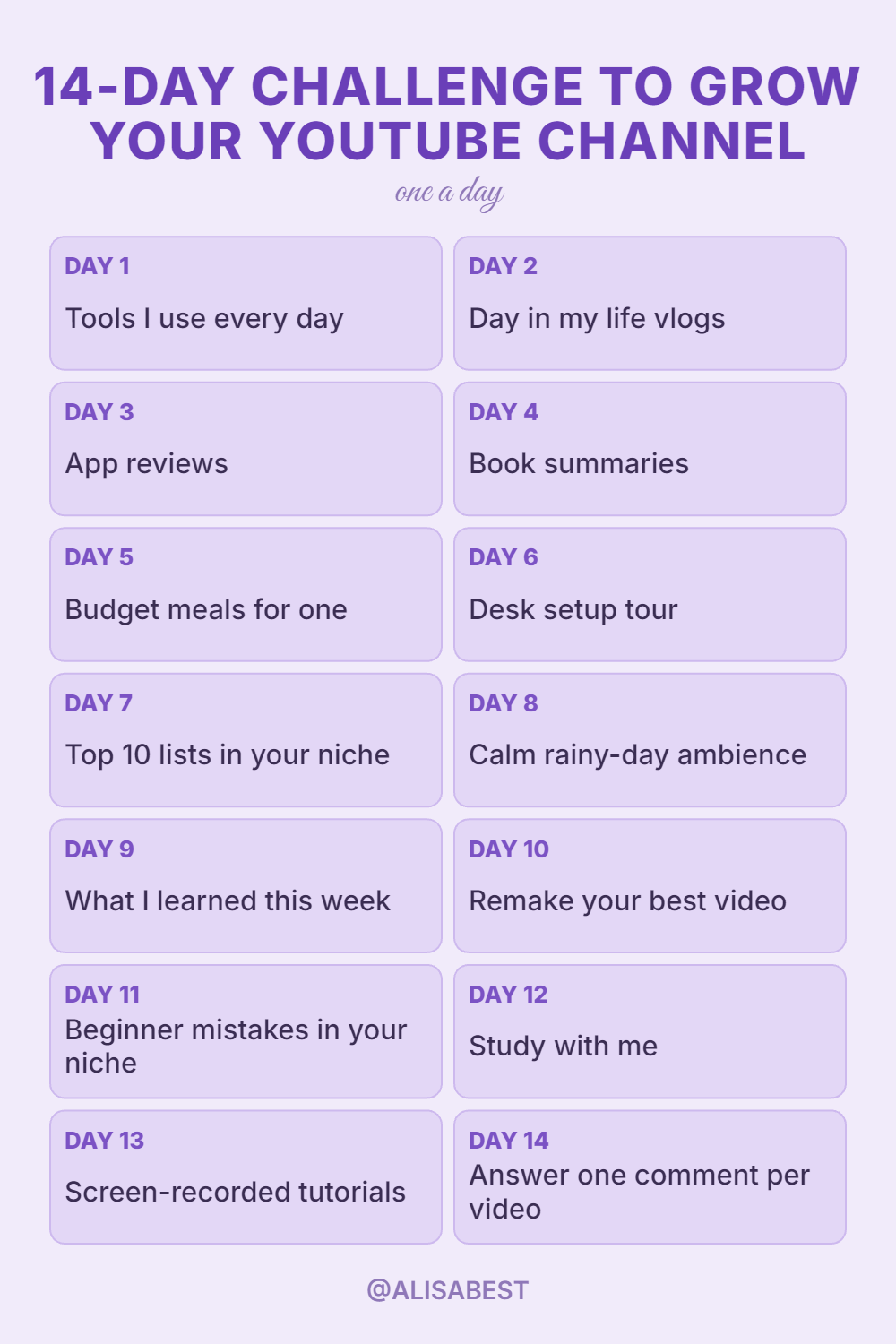
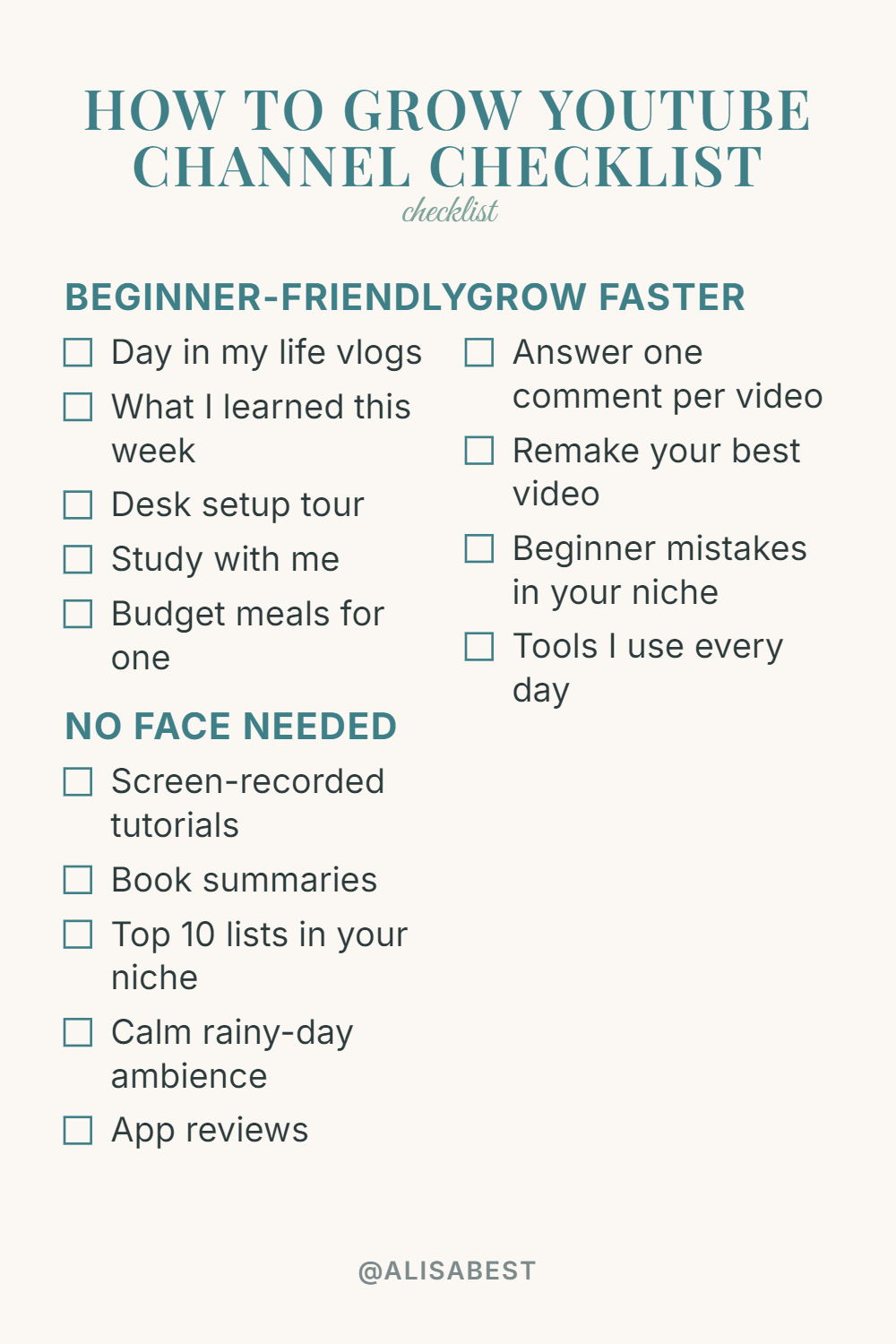
Good YouTube video ideas for a new channel are simple formats you can repeat every week: day-in-the-life vlogs, screen-recorded tutorials, book summaries and top-10 lists in your niche. Below are 10 easy formats (half of them need no face on camera) and 4 habits that turn those videos into a growing channel.
Easy Video Ideas for Your First Uploads
Starting a new channel often stalls because creators spend days deciding what to film. Choosing straightforward, structured formats eliminates creative friction and keeps your release schedule reliable.
Day-in-the-Life Vlogs
Film short segments of your typical daily routine to document how you manage time, work projects, or hobbies. In practice, outline three central activities before filming, keep your camera stable on a desk or counter, and narrate your decisions concisely. A common mistake is filming hours of raw footage without an underlying theme, which leaves viewers confused about the purpose of the upload.
Weekly Learning Summaries
Produce a recap detailing the most useful lesson, skill, or realization you picked up over the preceding seven days. Share the core idea, explain how you applied it in real time, and outline the immediate result. Creators often fail here by speaking too abstractly instead of offering concrete steps that viewers can test in their own routines.
Desk and Workspace Tours
Take viewers through the physical tools, organization systems, and hardware setups you use to complete your work. Highlight each item sequentially, explain why you selected that specific model, and mention how it aids your daily output. The standard misstep is listing high-end equipment specifications without clarifying how each tool actually supports your workflow.
Quiet Study and Work Sessions
Set up a camera angle overlooking your desk and record an uninterrupted work block paired with a clean timer overlay. Structure the video using a standard time breakdown, such as fifty minutes of active work followed by a ten-minute break. The main error creators make is adding distracting background sounds or sudden transitions that disrupt the viewer’s concentration.
Budget Meal Preparation Guides
Walk viewers through cooking a cost-conscious, single-portion meal from start to finish. Break down the ingredient list on screen, outline basic prep steps, and present the final plated dish clearly. Many creators undermine these videos by leaving out exact ingredient costs or introducing complicated culinary techniques that discourage new cooks.

YouTube Video Ideas That Need No Face on Camera
You do not need to appear on screen to produce helpful media that attracts loyal subscribers. Faceless video options let you focus entirely on information delivery, structure, and visual clarity.
Screen-Recorded Software Tutorials
Guide viewers step by step through solving a technical problem or configuring a specific tool using direct desktop capture. Keep your mouse movements deliberate, zoom into small settings boxes when relevant, and provide clear voiceover instructions. A frequent pitfall is moving the cursor too fast across menus, which makes following along frustrating for someone watching on a phone.
Actionable Book Summaries
Distill non-fiction titles into three to five concrete takeaways that viewers can implement immediately. Combine slides, bulleted notes, or relevant stock clips to illustrate each central thesis as you narrate. The typical mistake is offering a broad, academic overview rather than showing the audience how to apply the book’s frameworks.
Curated Top-Ten Lists in Your Niche
Compile ten noteworthy resources, techniques, or examples related directly to your channel’s subject matter. Structure the list logically from entry ten to entry one, dedicating thirty to forty-five seconds of analysis to each entry. Creators often stumble by choosing generic list items instead of researching distinct, practical entries that viewers have not seen repeatedly.
Calm Rainy-Day Ambience Loops
Design multi-hour visual backgrounds featuring rain sounds, fireplace audio, or cozy illustration loops meant for relaxation and background focus. Produce steady, high-definition background loops paired with clean, uninterrupted audio tracks balanced at a comfortable volume. A common error is introducing sudden volume spikes or abrupt visual loops that break the relaxing atmosphere.
App and Software Feature Walkthroughs
Demonstrate how specific productivity tools or creative software perform during everyday tasks. Open the application, walk through the core dashboard, and highlight features that save time or simplify work. A frequent oversight is spending too long on initial sign-up screens rather than demonstrating the app’s real utility.
4 Habits That Help a New Channel Grow
Posting regularly gets your videos seen. These habits turn first-time viewers into people who come back.
Answer One Viewer Comment Per Video
Select a thoughtful question from your previous comment section and spend two minutes addressing it at the start of your next upload. Feature a screenshot of the comment on screen so viewers see that you prioritize audience engagement. The common mistake is answering vague praise instead of tackling specific problems that other viewers also share.
Remake Your Best-Performing Uploads
Examine your channel data to locate the video with the highest retention, then film an updated, higher-quality version covering that topic. Expand on areas where viewers asked questions, improve your pacing, and refine the audio delivery. Many channels mistakenly create carbon copies rather than delivering genuine updates with fresher insights.
Break Down Early Mistakes in Your Field
Highlight the missteps newcomers make in your niche and explain exactly how to bypass them. Share concrete workarounds, describe the consequences of each mistake, and offer direct alternatives. Creators often sound overly critical in these videos rather than adopting a supportive, problem-solving posture.
Detail the Tools You Use Daily
List the exact applications, physical items, and production resources that keep your projects running smoothly. Present each tool with a concise breakdown of why it earned a spot in your routine over competing options. A common error is featuring too many obscure tools at once instead of focusing on the essential core setup.
Before you film an idea, check whether people are actually searching for it and how crowded the topic is. Try vidIQ free shows search interest and competition for a topic, so you can pick the idea with the best chance first.
What Worked for Me
I edit every video in CapCut on my phone. Skipping complex desktop editing software removes friction, allowing me to cut dead air, trim clips, and publish without unnecessary production delays.
Core Mindset Shifts for Long-Term Growth
Building an enduring channel requires treating production as an iterative learning process rather than an immediate test of worth.
| Mindset Shift | Initial Assumption | Productive Strategy |
|---|---|---|
| Volume Over Perfection | Every upload must look polished | Your first 100 videos are practice, not proof |
| Execution Speed | Delay publishing until details align | Done is better than perfect |
| Channel Ambition | Small subscriber counts limit reach | Run a small channel with big plans |
Your first 100 videos serve as your training ground. Viewing early uploads as skill-building exercises keeps you from becoming discouraged when initial metrics remain modest. Prioritize finishing projects over endless revisions, because an uploaded video can collect data while an unfinished draft cannot.
FAQ
How often should a new channel post videos?
A consistent schedule of one to two well-structured uploads per week is ideal for most creators. This pace gives you sufficient time to plan, edit, and review metrics without burning out. Rushing out low-quality uploads daily often hurts viewer retention and leads to fatigue.
Do I need expensive gear to grow my channel?
No, modern smartphones capture high-definition footage that is more than sufficient for YouTube. Clear lighting from an open window and clean audio matter far more than an expensive camera body. Focus on clean audio and steady framing before investing in specialized studio equipment.
How long does it take to see channel growth?
Channel growth typically requires several months of consistent posting before the algorithm identifies your core audience. Each upload provides search data and audience signals that help match your content with interested viewers. Treating your initial phase as practice prevents premature frustration.
What are good YouTube video ideas for beginners?
Start with formats that need little gear and no editing skills: a day-in-the-life vlog, a desk setup tour, a study-with-me session or a screen-recorded tutorial. Pick one, film it on your phone and repeat it for a month so viewers know what to expect.
Conclusion
The best YouTube video ideas are the ones you can repeat: a simple format, a clear promise and a routine that turns ideas into finished uploads. Pick one video format from this guide, outline a three-point script on a single sheet of paper, and record your next video today.